Seamlessly Generate Technical Documentation from Existing CAD models: Join Our SOLIDWORKS Composer Workshop


REGISTER TODAY

Learn How to Repurpose Your 3D Models for Effortless Technical & Visual Outputs with SOLIDWORKS Composer
When it comes to technical & visual communications, do you face these frustrating challenges in your CAD workflows?

❌ Lack of intuitive CAD associativity, resulting in:
• Slow, disconnected processes between design & output
• Endless reworks & frequent errors; waste of time & effort even for just simple updates

❌ Inaccurate or subpar-quality illustrations in visual & technical communications, leading to:
• Unclear instructions that create costly mistakes in production & assembly
• Unimpressive content that fails to capture attention from target audience
• Poor presentation affects your brand image & weakens end-user experience


Did you know that creating high-quality technical documentation & renderings can be a whole lot easier with SOLIDWORKS Composer? Thanks to the powerful & intuitive CAD associativity in SOLIDWORKS, your documentation & renderings can easily reflect changes based on your 3D CAD model, no manual & fussy rework needed!

In our upcoming Hands-On Test-Drive workshop , we're going to show engineers, designers, managers, & other stakeholders how SOLIDWORKS Compower make this possible:

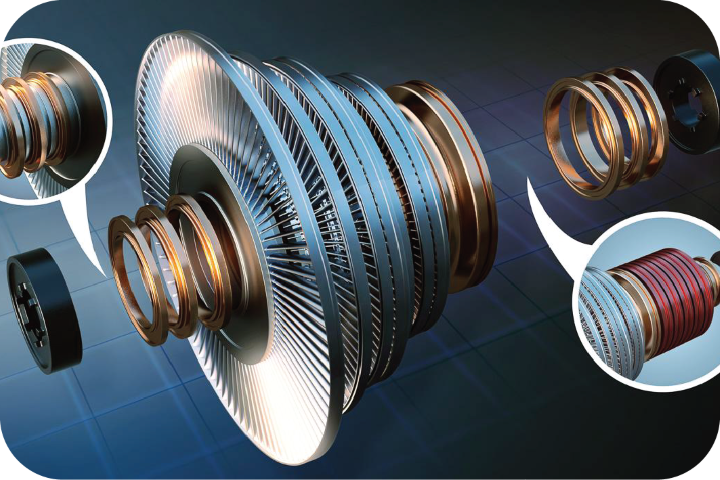
⚙️📝 SOLIDWORKS Composer: for creating technical documentation such as assembly manuals, product instructions, and service guides. SOLIDWORKS Composer allows you to generate exploded views, callouts, step-by-step sequences, and interactive content without waiting for design finalization. And when your CAD model updates, you can easily refresh your documentation without redoing it from scratch.

placeholder


SOLIDWORKS Composer helps bridge the gap between design, engineering, marketing, and manufacturing - ensuring that everyone speaks the same visual language, with up-to-date and accurate content! Join our Hands-On Test-Drive workshops to learn more!


SOLIDWORKS Composer Hands-On Test-Drive Workshop

🗓️ Date:
April 27, 2026 (Monday)

🕒 Time:
SOLIDWORKS Composer
9:30AM - 12:00PM

📍 Venue:
CADVision Systems Johor Bahru
11-10 , Austin 18, Jalan Austin Perdana 3, Taman Austin Perdana, 81100 Johor Bahru, Johor

🎟️ Fee: Free

BOOK YOUR SEAT

SOLIDWORKS Composer Hands-On Test Drive Workshop Highlights 

placeholder

SOLIDWORKS Composer

icon Create clear assembly instructions, product manuals - in 2D & 3D
icon Link 3D model changes to technical illustrations for accurate updates

icon Create 3D annotations, exploded views, BOMs & callouts

icon Enable interactive, clickable 3D content across teams even without CAD access

Register now and stay connected with the SOLIDWORKS community - learn, innovate, & stay ahead with the latest updates!

If you need assistance, please contact us at:
📧 info@cadvision-systems.com
☎️🇲🇾 +603-2630 6118
☎️🇸🇬 +65-6029 3098

Registration Form

copyright @ CADVision Systems 2026